

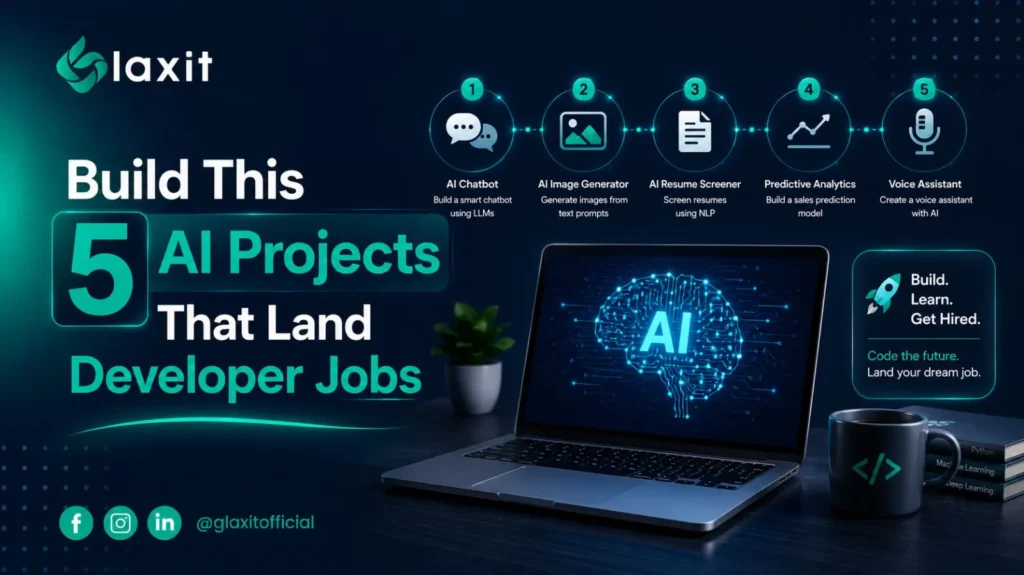
AI Portfolio Projects That Actually Get Developers Hired in 2026
Every second resume says the same thing: Python, LangChain, OpenAI API, PyTorch. That’s not what gets someone shortlisted. A recruiter spends maybe a minute on your repo. If it’s a chatbot that only runs on localhost with a two-line README, that minute is over before it started.
Tutorials teach syntax, not judgment
A tutorial project gets built once and never touched again. You followed the steps, it ran, you moved on. A project that actually helps your case does something different: it solves a specific problem, has a login system, talks to a real database, and sits at a public URL you can click right now. That gap is bigger than most people think.
A few projects worth your time
AI resume analyzer
Reads PDFs, pulls out skills with an LLM, and scores a candidate against a job posting. Build one and you’ve proven you can handle messy documents, write decent prompts, and manage file uploads without falling over.
User ->
Frontend (React) -> Backend (FastAPI) ->
LLM (parsing + scoring) | PostgreSQL (results) | S3 (resume storage)
| Layer | Tech | Why |
|---|---|---|
| Frontend | React or Next.js | Fast to build a clean upload UI |
| Backend | FastAPI | Async, auto-generated API docs |
| AI | OpenAI or Claude API | Structured extraction from unstructured text |
| Database | PostgreSQL | Reliable, easy to query candidate history |
| Storage | AWS S3 | Keeps raw files out of the database |
Interview question: How do you handle a resume that isn’t a clean PDF, like a scanned image?
Answer: Run OCR first (Tesseract or a cloud OCR API), normalize the text, then send it to the LLM with a strict extraction prompt so formatting noise doesn’t wreck the output.
Document chat (RAG)
Lets someone upload a file and ask it questions in plain language. This is probably the most common retrieval-augmented generation pattern in production right now, and interviewers will ask about your chunking strategy the moment they see it on your resume.
User -> Frontend -> Backend ->
Vector DB (embeddings) | LLM (answer using retrieved chunks)
| Layer | Tech | Why |
|---|---|---|
| Backend | FastAPI | Handles upload, chunking, and query routing |
| Embeddings | OpenAI embeddings | Turns text chunks into searchable vectors |
| Vector DB | pgvector or Pinecone | Fast similarity search over chunks |
| Framework | LangChain or LlamaIndex | Saves you from writing the retrieval glue yourself |
Interview question: Why not just paste the whole document into the prompt?
Answer: Context windows are limited and expensive, and stuffing everything in hurts answer quality. Retrieval only pulls the chunks relevant to the question, which keeps answers grounded and costs down.
AI support agent
Pulls answers from a knowledge base instead of guessing. It shows you understand vector search and conversation state, which is a different skill than just calling an API in a loop.
User -> Chat UI -> Backend ->
Vector DB (knowledge base) | LLM (context-aware reply) | Conversation history (PostgreSQL)
| Layer | Tech | Why |
|---|---|---|
| Vector DB | Weaviate or pgvector | Stores the knowledge base as embeddings |
| Database | PostgreSQL | Tracks conversation history per user |
| Auth | Clerk or Auth.js | Multi-user support without building auth from scratch |
Interview question: How would you stop the agent from making things up?
Answer: Ground every answer in retrieved passages, cite the source chunk back to the user, and set a confidence threshold below which the agent says it doesn’t know instead of guessing.
Code review assistant
Hooks into GitHub and comments on pull requests. Signals backend and developer-tooling experience, which not many candidates bother to build.
Developer -> GitHub PR -> Webhook -> Backend ->
LLM (review comments) | PostgreSQL (review history)
| Layer | Tech | Why |
|---|---|---|
| Integration | GitHub API + OAuth | Reads diffs, posts comments directly on PRs |
| Backend | FastAPI | Processes webhook events async |
| AI | Claude or OpenAI API | Explains changes and flags risky patterns |
Interview question: How do you avoid the AI flooding a PR with noisy comments?
Answer: Filter suggestions by severity, only surface high-confidence issues automatically, and let lower-confidence ones sit in a summary instead of inline comments.
Multi-agent assistant
Splits research, planning, and reporting across separate agents instead of one general chatbot. This is the advanced option, worth attempting once the basics above are solid.
User -> Coordinator agent -> Research agent -> Web/Docs ->
Planning agent -> Task breakdown ->
Reporting agent -> Summary output
| Layer | Tech | Why |
|---|---|---|
| Framework | LangGraph or CrewAI | Manages agent handoffs and shared state |
| Queue | Redis | Coordinates async work between agents |
| Database | PostgreSQL + pgvector | Shared memory across agents |
Interview question: Why use multiple agents instead of one large prompt?
Answer: Splitting responsibilities keeps each agent’s prompt focused, makes failures easier to trace to a specific step, and lets you swap or improve one agent without touching the rest of the pipeline.
Deploy it, or it doesn’t count
A backend on Railway, a frontend on Vercel, a real database instead of a JSON file sitting on disk. That’s the difference between “I built something” and “I understand how software ships.” Write a README that says what problem it solves, how it’s structured, and how to run it. That alone puts you ahead of most applicants.
Tests matter more than another AI feature bolted on top. A handful of API tests, some input validation, basic error handling. Small stuff, but it tells an interviewer you think about failure cases and not just the happy path.
Depth beats a pile of repos
Three finished, deployed, documented projects will get you further than twenty half-built ones sitting unfinished in your GitHub. Pick one from the list above, push it past the demo stage, add a login flow and a live link, and know exactly why you made every architectural call. That’s a real interview story, not a slide of buzzwords.
Starting from zero and figuring all this out alone is genuinely hard. Glaxit’s internship and training programs walk learners through building projects that actually get deployed, with someone checking the work at each milestone instead of leaving you to guess what “production ready” even means.